 Tech & Reviews
Wi-Fi Digital Picture Frame Review: Is It Worth Gifting?
As an Amazon Associate I earn from qualifying purchases.
Wi-Fi Digital Picture Frame Review: Is It Worth Gifting?
On this page
SEO Title
Wi-Fi Digital Picture Frame Review: Is It Worth Gifting?
Meta Description
Wi-Fi digital picture frame review: how Aura, Nixplay and Skylight compare on subscriptions, video support, gift-ready setup, and who they suit best.
Introduction
A Wi-Fi digital picture frame solves one very specific problem: getting new family photos in front of the people you love — especially parents and grandparents — without asking them to do anything. You plug it in, connect it to Wi-Fi once, and from then on anyone in the family can push photos to it from their phone, from anywhere. That hands-off promise is why digital frames keep landing near the top of 2026 gift guides; PCMag even framed its October 2026 guide around "grandparent gifts," and WIRED, Forbes Vetted, and NBC Select all placed frames and family devices in their gift-for-mom roundups this year.
The short version: buy one if you're gifting to a parent or grandparent who has Wi-Fi and you'll set it up — and preload photos — before handing it over. Check three things first: whether the frame requires a subscription for full features (some do, some explicitly don't), whether it plays videos or photos only, and whether the recipient's home has Wi-Fi at all (USB/SD-based frames exist for homes without it).
Honesty note: this review is built from manufacturer documentation, retailer listings, and independent published reviews — not hands-on testing, which we don't claim. Details were checked on 2026-11-08; anything unverified is labeled "Not Verified."
Product Overview
How Wi-Fi frames work. The recipe is consistent across brands: a frame with a screen and Wi-Fi radio, a companion app for whoever sets it up, and a cloud library that stores the photos. Contributors send pictures in, the frame pulls them down over Wi-Fi, and the slideshow runs on its own. Aura's frames, for example, accept photos and videos through the Aura Frames app, by text message (US and Canada), by email to the frame's unique address, or through a web uploader — plus iCloud and Google Photos sync. Aura says setup takes about a minute, and the app is required for setup, inviting contributors, and settings.
Subscription or not? The category's biggest gotcha, and brands differ sharply. Aura states that every frame includes free unlimited cloud storage with no subscription — no monthly fees, no annual plans, no storage limits — plus unlimited contributors. Other popular frames gate features behind optional plans: ZDNET notes the Skylight Frame "needs a subscription to unlock all capabilities," with Skylight Plus adding video display and slideshow/album extras. Read the plan page, not the product title.
Storage and screens. Frames commonly ship with 8 GB of local memory (Nixplay Touch 10, Skylight Frame), while Aura's library is cloud-based and branded unlimited. Screens run from about 10 inches — the most popular size class (Aura Carver 10.1", Nixplay Touch 10, Skylight 10") — up to 15-inch models (Aura Walden 15", Skylight 15"). The Carver is landscape-only with smart photo pairing for two portrait photos side by side; Nixplay and Skylight rotate automatically between orientations.
The gift feature that matters most. Preloading. Aura frames can be loaded with photos, videos, and a message before gifting — scan the code on the box or set it up in the app — so recipients see their own memories the moment they plug it in. Treat gift-mode preloading as a must-have spec.
Key Features
- Wi-Fi connection plus a free app — iOS/Android setup app; the frame pulls new photos from the cloud (Aura requires Wi-Fi for new content; existing photos keep displaying offline)
- Multiple ways for family to send photos — Aura: app, text message (US/CA), email to the frame, web uploader; Skylight and Nixplay support app and email-based sending
- iCloud and Google Photos sync — supported by Aura, and ZDNET notes Nixplay syncs with Google Photos
- Gift-ready preloading — load photos, videos, and a message before the recipient ever plugs in (Aura; check each brand)
- Unlimited contributors — no cap on how many family members can add photos (Aura)
- Subscription-free operation (Aura) vs. optional paid plans that unlock extras (Skylight Plus)
- Photo and video support that varies by model — Aura's library includes videos; Skylight lists video display as a paid-plan capability
- Smart display behavior — auto-brightness and scheduled shut-off (Aura), motion sensor that wakes the screen when you enter the room (Nixplay Touch 10)
- Touchscreens on many models — zoom, pause, and slideshow control directly on the frame (Nixplay, Skylight)
- Resolution and size options — 720p on the Nixplay Touch 10 up to 1920x1080 on the 15-inch Skylight
- Non-Wi-Fi alternatives exist — USB/SD-card frames (Loop, Aluratek) display photos with no network at all
Benefits
| Feature | What it means for you |
|---|---|
| Remote photo delivery | Family members push new photos from their phones; the recipient never touches an app |
| Gift-mode preloading | The recipient sees their own photos at first plug-in — the unboxing moment does the work |
| Unlimited contributors + multiple send channels | The whole family participates, even the less tech-savvy relatives who just text or email |
| iCloud / Google Photos sync | Photos already on your phone can flow to the frame automatically |
| No subscription (on frames like Aura) | One purchase, no recurring fees, no feature hostage-taking |
| Auto-brightness and sleep scheduling | Looks like a photo frame day and night instead of a glowing screen |
| Display-quality sizing (10"–15") | A 10-inch frame fits a shelf or nightstand; a 15-inch anchors a wall or mantel |
| No printing, framing, or mailing | New photos appear without trips to the photo lab |
Pros and Cons
| Pros | Cons |
|---|---|
| New photos reach the recipient with zero effort on their part | Wi-Fi is required at the recipient's home for new photos to arrive (USB/SD frames if not) |
| Gift-mode preloading makes it one of the most personal gifts in this price class | Some brands gate video and extras behind subscription plans — check before buying |
| Multiple send channels (app, text, email, web) fit every family member's habits | Video support and lengths vary by brand and model (Not Verified across the board) |
| Subscription-free options genuinely exist (Aura: free unlimited storage) | Local storage is finite on some frames (8 GB class) unless cloud-backed |
| Auto-brightness, scheduling, motion wake make it feel like decor | The gift's magic depends on you (and the family) actually sending photos later |
| Sizes from 10-inch to 15-inch with orientation options | Large 15-inch models cost substantially more (see pricing row in Specifications) |
Specifications
Representative models from the three biggest families in this category (details as published by the brands and ZDNET's 2026 testing; prices change — verify):
| Specification | Aura (Carver 10.1" class) | Nixplay Touch 10 | Skylight Frame |
|---|---|---|---|
| Screen | 10.1" HD; Carver is landscape-only with smart photo pairing; Walden model goes to 15" | 10.1" touchscreen, 720p; dual orientation | 10" (1280x800) or 15" (1920x1080); portrait or landscape |
| Wi-Fi required | Yes, for new content (cloud delivery) | Yes (cloud/app delivery) | Required only to receive new photos; existing photos show without Wi-Fi |
| Subscription | None — free unlimited cloud storage stated by brand | App-based remote with unlimited photo storage per ZDNET; plan details Not Verified | Skylight Plus subscription to "unlock all capabilities" (videos, slideshows, albums) per ZDNET |
| Storage | Cloud library (unlimited, per brand) | 8 GB local + app | 8 GB local |
| Contributors | Unlimited, no cap (per brand) | Invite family/friends to add photos | Family app + email to frame |
| Send channels | App, text (US/CA), email, web uploader, iCloud/Google Photos sync | App, cloud services, Google Photos sync | App, personalized email address |
| Gift preloading | Yes — photos, videos, and a message (per brand) | Not Verified | Not Verified |
| Video support | Photos and videos included (per brand) | Photos and videos in playlists (per ZDNET) | Video display with paid plan (per ZDNET) |
| Display extras | Auto-brightness, schedule, color-calibrated screen (per brand) | Touchscreen, motion sensor, print photos from app | Touchscreen zoom/pause, wall-mount or stand |
| Price | Not Verified here — check current pricing | Not Verified here — check current pricing | $160 (10") / $300 (15") per ZDNET's 2026 guide — verify current |
Who Should Buy It?
- Gift-givers for parents and grandparents — the category's core use case; ZDNET buyers describe frames as great gifts "for grandparents, new parents, or anyone who appreciates family memories"
- New parents and long-distance families — one upload point sends baby photos to every relative with a frame
- Families who share photos in group chats already — a frame moves that stream off the phone and onto the wall
- Anyone who prints photos occasionally — new pictures arrive without a photo-lab run
- Gift-shoppers who'll do the prep work — you set it up and preload it; the recipient just plugs it in
Who May Not Need It?
- Homes without Wi-Fi — new photos can't arrive; choose a USB/SD-card frame (Loop, Aluratek) or a no-network model instead
- Subscription-averse shoppers considering plan-based brands — some frames lock video and extras behind Skylight-style plans; either buy the subscription-free kind or check the plan page first
- One-photo traditionalists — if a single framed print is all you want displayed, a frame is overkill
- People who want a smart display — if you also want video calls, weather, and voice assistance, a device like the Amazon Echo Show 8 does more (ZDNET's smart-frame pick)
- Anyone whose family won't send photos — the frame needs contributors; if that's not realistic, the slideshow will feel stale by month two
Alternatives
A non-Wi-Fi USB/SD frame. The cheapest, simplest category: load photos on a card or stick and it just displays them (ZDNET recommends Loop and Aluratek models). No app, no Wi-Fi, no subscriptions — but also no remote photo delivery, which is most of the point for grandparents.
A smart display (Amazon Echo Show 8). Photos plus video calling, reminders, and voice control — ZDNET's pick for the best "smart" frame use case. You trade the decor-forward look and gift simplicity for extra functionality.
The Skylight Calendar 2. Not a photo frame at first glance, but a family-organization device that made WIRED's 2026 mom-gift list — worth a look if the real need is coordinating a busy household rather than displaying memories.
A traditional photo frame with printed photos. Zero tech, zero setup, zero Wi-Fi worries — and still the right answer for the relative who genuinely doesn't want another screen.
FAQ
Do Wi-Fi digital picture frames need Wi-Fi to work? To receive new photos, yes — cloud-based frames need a connection, and Aura states plainly that Wi-Fi is required because new content arrives via the cloud. Existing photos keep displaying without a connection (Skylight states exactly that), so a Wi-Fi outage doesn't blank the frame. Frames that read from USB/SD cards don't need Wi-Fi at all.
Are there digital picture frames without a subscription? Yes — Aura is explicit that every frame includes free unlimited storage and no subscription fees, with unlimited contributors. It's not universal, though: ZDNET notes the Skylight Frame needs a subscription (Skylight Plus) to unlock all capabilities, including video. The rule of thumb: check the brand's plan page before buying, because "Wi-Fi frame" and "subscription-free frame" are not the same thing.
Can I preload photos before gifting a frame? On Aura frames, yes — you can load photos, videos, and a message before giving it, either by scanning the code on the box or setting the frame up virtually in the app. When the recipient plugs it in, the preloaded photos are already there. Not every brand offers this (we could not verify preloading for every model in the comparison table), but where it exists, it transforms the unboxing.
Can digital picture frames play videos? It varies. Aura's frames include videos in their unlimited cloud library, Nixplay's app supports photos and videos in playlists, and video on Skylight is a paid-plan feature per ZDNET. We could not verify video length limits or formats across every brand — check the specific model's FAQ before assuming your clips will play.
How do grandparents actually receive new photos on one of these? Through whatever channel they — or rather, you — set up: the companion app, a text to the frame (Aura supports US and Canada), an email to the frame's unique address, or a web uploader. In practice, the setup person connects the frame once and invites family members; after that, anyone can send photos from their phone without the frame owner doing anything at all.
What size frame should I gift? The 10-inch class (Aura Carver, Nixplay Touch 10, 10-inch Skylight) suits nightstands, desks, and shelves; 15-inch models (Aura Walden 15", 15-inch Skylight) are wall-and-mantel displays and cost more. Match the size to where it'll actually live.
Final Verdict
A Wi-Fi digital picture frame is one of the strongest family-gift ideas of the 2026 season — but only when three boxes are checked: the recipient has Wi-Fi, the frame doesn't require a subscription for the features you're promising (Aura-class frames don't; check plan details on others), and you'll preload it before wrapping. Do that, and the moment it's plugged in — their own photos, already loaded — is as good as the marketing says. Skip it if the recipient has no home network or your family won't actually send new photos. Match size and orientation to the room, confirm video support if that matters, and verify current pricing before you buy.
Relevant Internal Links
- Ember Mug 2 review — anchor: "Ember Mug 2 review" — placement: "Who Should Buy It?" section. Same gift-for-parents audience and price class; natural cross-sell in a gifting browse session.
- Dr. Squatch Men's Soap review — anchor: "Dr. Squatch Men's Soap review" — placement: "Alternatives" section. Balances the gift list for the dad/brother/husband side of the family.
- Baby Brezza Bottle Washer Pro review — anchor: "Baby Brezza Bottle Washer Pro review" — placement: "Who Should Buy It?" section (new parents). Frame + baby gear are the two big "new-parent household" buys.
Affiliate Disclosure
This post contains affiliate links. As an Amazon Associate I earn from qualifying purchases.
Sources
All sources checked or surfaced on 2026-11-08 (US market). Prices change — verify before publishing or buying.
- Aura — "Aura Frame Comparison Guide: Which Aura Frame Should I Choose?" (updated October 14, 2026): https://help.auraframes.com/hc/en-us/articles/360049410694-Aura-Frame-Comparison-Guide-Which-Aura-Frame-Should-I-Choose — source for no-subscription/unlimited storage, unlimited contributors, four send channels, iCloud/Google Photos sync, gift-ready preloading, one-minute setup, auto-brightness, and model lineup details.
- Aura — Carver 10" product page: https://auraframes.com/digital-frames/color/carver-clay-mat (Wi-Fi required for new content; app required for setup; preload capability; no subscription fees) and Walden 15" page: https://auraframes.com/digital-frames/color/walden-ink-mat — both surfaced 2026-11-08.
- Amazon — Aura Digital HD Picture Frame, Carver 10": https://amazon.com/Digital-Picture-Unlimited-Storage-Anywhere/dp/B09X2CL5HG (listing FAQ confirming no subscription, preloading, SMS upload) — surfaced 2026-11-08.
- ZDNET — "The best digital photo frames of 2026: Expert tested and recommended": https://www.zdnet.com/article/best-digital-picture-frame/ — source for Nixplay Touch 10 specs (10.1", 720p, dual orientation, 8 GB, unlimited app storage, motion sensor, print-from-app), Skylight Frame specs and subscription caveat (Skylight Plus for videos/slideshows; $160/$300 pricing per their guide), non-Wi-Fi frame mentions (Loop, Aluratek), and Echo Show 8 context.
- Skylight — official site and FAQ: https://www.skylightframe.com/ — "Skylight Frame only requires a WiFi connection to receive new photos" and existing-photos-offline behavior; wall power required (no battery operation).
- Project research file: /home/ai-agent/livelihood-ops/research/us-products-20261108/MASTER-30-products-US-2026-11-08.md (Category 3, row 4) — PCMag October 2026 guide framing, WIRED/Forbes Vetted/NBC Select gift-guide placement, Frameo/Nixplay/Aura model-name demand signals in Amazon autocomplete.
- Engadget — "best digital frame" guide (via project research file; direct re-fetch unsuccessful on 2026-11-08 — noted honestly).
Verification note: product behavior descriptions (send channels, preloading, Wi-Fi requirements, subscription policies) come from the brand pages and ZDNET's guide listed above. We did not test any frame ourselves. Video support specifics vary by model and are Not Verified beyond the brand statements quoted; confirm on the exact model page before promising video in your gifting pitch.
Internal links
- Target:
/ember-mug-2/— anchor: "Ember Mug 2 review" — placement: "Who Should Buy It?" — why: same parent-gift shopper, proven cross-sell in the seasonal gift cluster. - Target:
/dr-squatch-soap/— anchor: "Dr. Squatch Men's Soap review" — placement: "Alternatives" — why: rounds out a family gift list for the men's-grooming angle. - Target:
/baby-brezza-bottle-washer/— anchor: "Baby Brezza Bottle Washer Pro review" — placement: "Who Should Buy It?" (new parents) — why: captures the new-parent household audience shopping both categories.
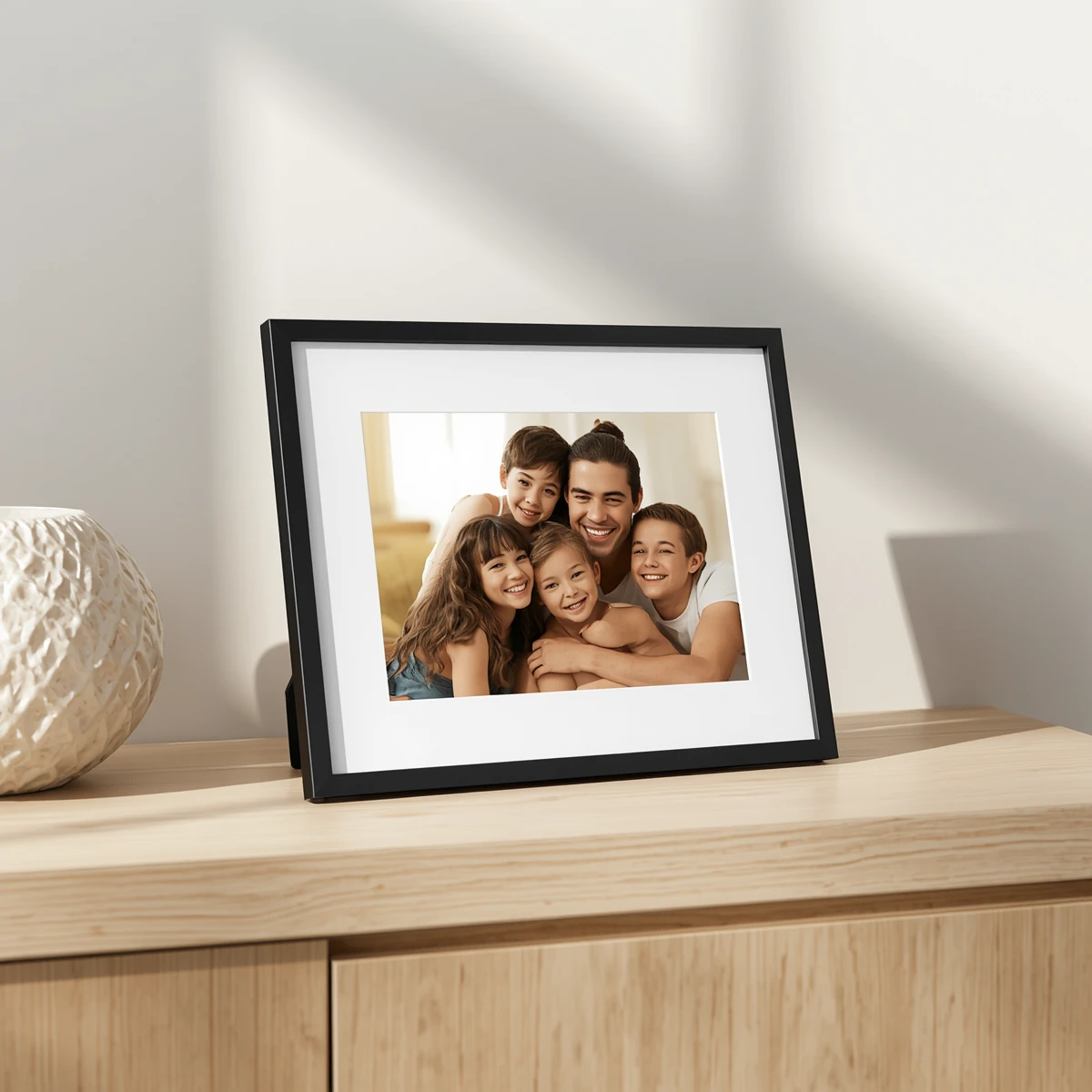
Note: product images on this page are AI-generated illustrations, not photographs of the actual product.